

What Is Bytecode Compilation in PHP?
PHP does not run your .php file line by line from raw text. It first turns your code into Zend opcodes, then the Zend Engine runs those opcodes.
If I had to boil this down fast, here’s the point:
- Bytecode compilation in PHP = turning PHP source into Zend opcodes
- OPcache stores those opcodes in memory so PHP can skip recompiling the same file
- That can improve speed a lot: one benchmark in the article shows 33 to 119 requests per second, or about 3.6x
- OPcache is for speed, not hiding source code
- Tools like SourceGuardian go further by encoding PHP into protected binary form and adding licensing limits
- That can lock software to a domain, IP, hardware ID, or time limit
- The trade-off is simple: more control over your code, more setup work in deployment
Put another way: if you only care about runtime speed, I’d look at OPcache. If you also care about keeping source code off customer servers and limiting how software is used, I’d look at bytecode protection with a loader-based setup.
The core idea is simple: PHP has a compile step, OPcache reuses that compiled output, and commercial protection tools build on top of that to hide code and enforce license rules.
🚀 Boost PHP Performance with Opcode Caching: A Beginner's Guide
sbb-itb-f54f501
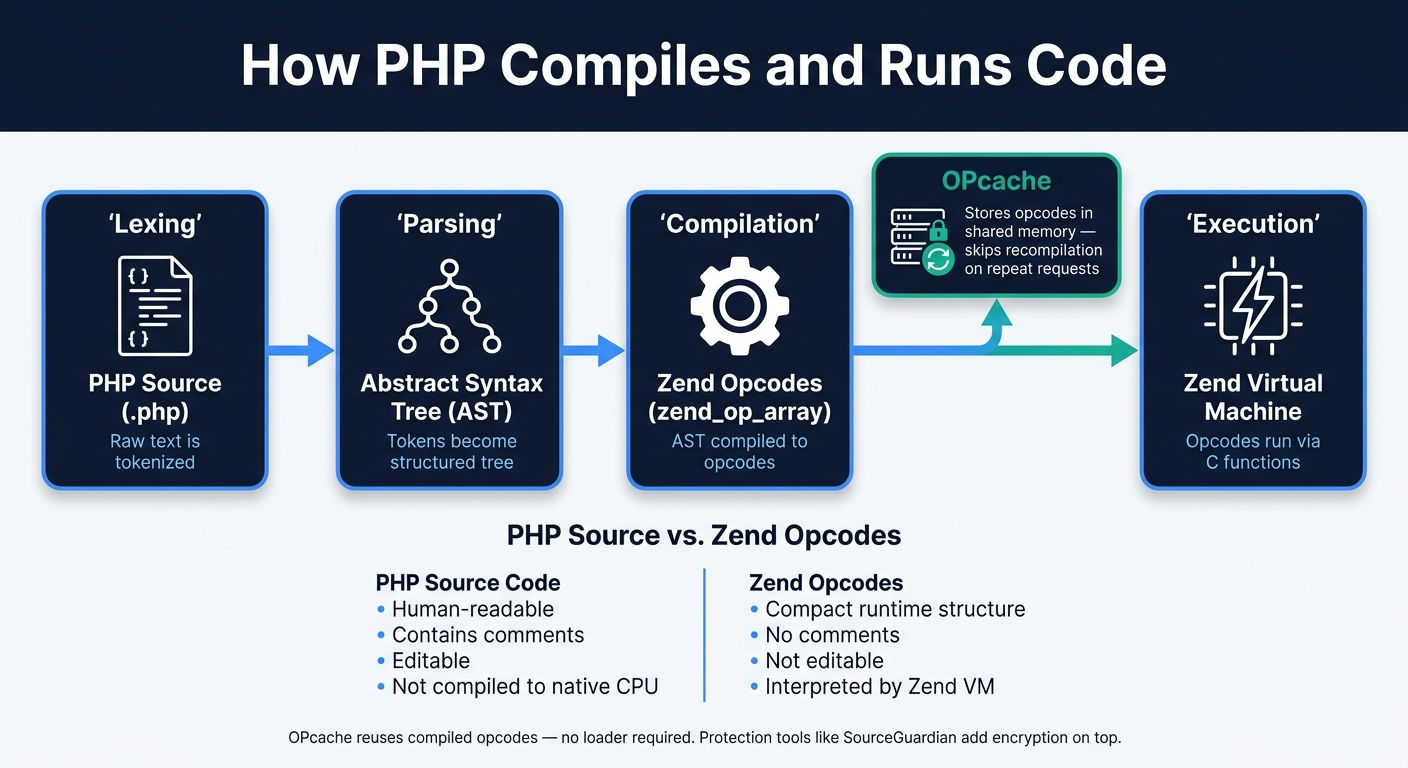
How PHP Compiles and Runs Code
How PHP Bytecode Compilation Works: From Source to Execution
PHP runs your code through the Zend Engine before anything happens on screen. In plain English, your script doesn't go straight from .php text to execution. First, PHP moves it through a compile path that turns human-readable code into a form the Zend Engine can run.
From Source Code to Zend Opcodes
That pipeline has four stages: lexing, parsing, compilation, and execution.
Here's the short version:
- The lexer turns source code into tokens.
- The parser turns those tokens into an Abstract Syntax Tree (AST).
- The compiler turns the AST into Zend opcodes stored in a
zend_op_array. - The Zend Virtual Machine reads those opcodes and runs them through internal C functions.
A simple if statement is a good example. What looks clean and readable to you becomes a comparison opcode plus a jump instruction under the hood.
This matters because PHP compiles to Zend opcodes, which the Zend VM interprets. By default, it does not compile straight to native CPU instructions.
And those opcodes don't have to be rebuilt every time. They can be reused, which is exactly where OPcache starts to matter for performance.
Bytecode vs. PHP Source Code
A .php file and its compiled opcodes are not just two versions of the same thing with different packaging. They serve different jobs.
Your source file is editable text. It includes variable names, comments, spacing, and the high-level structure that helps a developer read and change the code.
The zend_op_array, on the other hand, is a compact runtime structure. It strips out comments, formatting, and other source-only details, then keeps only what the VM needs to run the program. Think of it like the difference between a full recipe and the short kitchen checklist a cook uses during service.
| Aspect | PHP Source Code | Zend Opcodes (zend_op_array) |
|---|---|---|
| Format | Human-readable text | Compact runtime structure |
| Contains comments | Yes | No |
| Editable | Yes | No |
| Compiled to native CPU code | No | No (interpreted by Zend VM) |
This compiled form is the basis for runtime caching and script protection. Next, OPcache stores those opcodes so PHP can skip recompilation on later requests.
Native Bytecode Compilation and Caching in PHP
OPcache lets PHP reuse compiled opcodes instead of recompiling scripts on every request. On busy apps, that extra compile step burns CPU time and drags down response speed.
How OPcache Stores and Reuses Compiled Opcodes
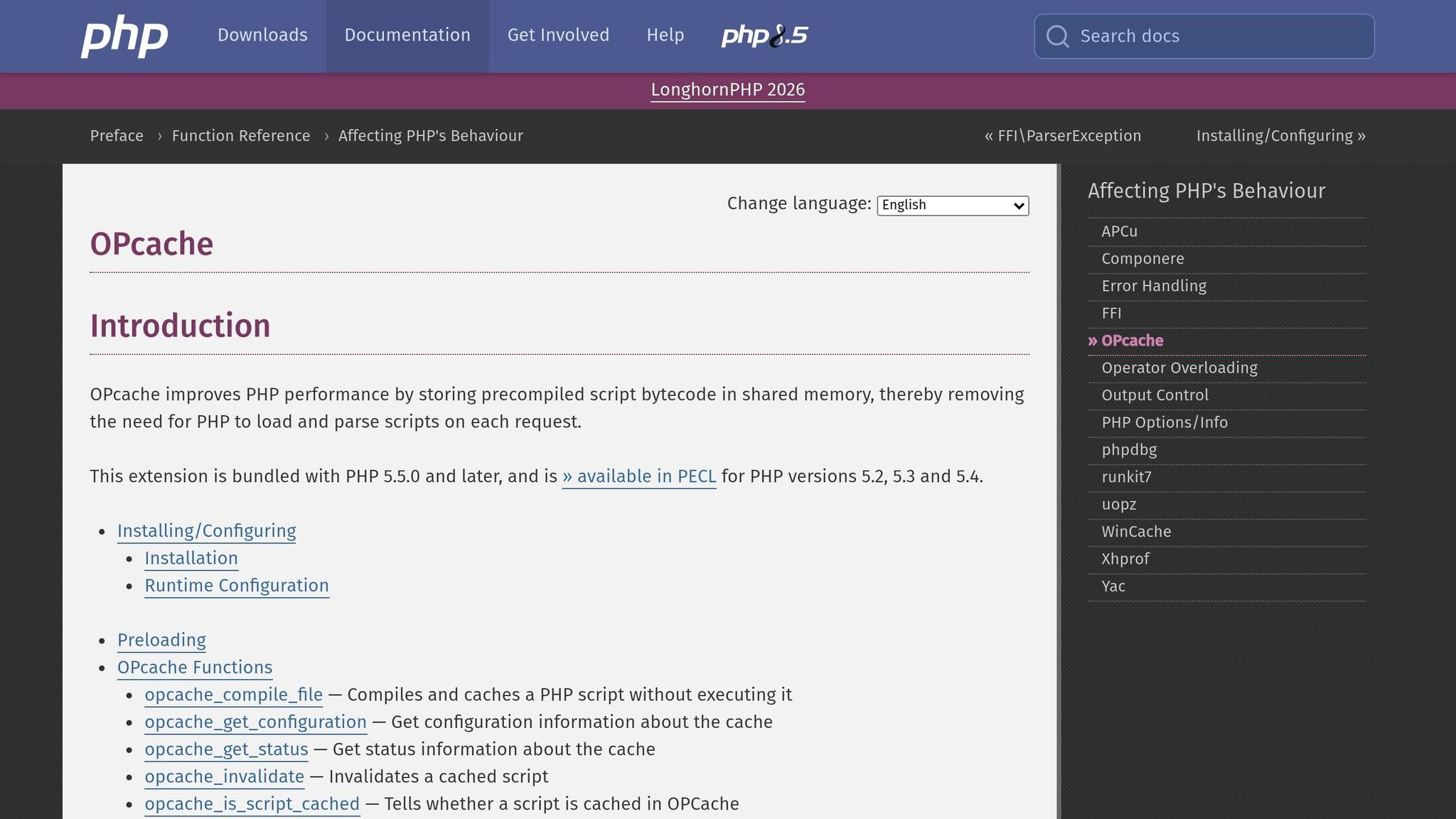
OPcache stores compiled opcodes in shared memory. When the same script is requested again, PHP can skip compilation and run those opcodes right away.
The first request still pays the compile cost. After that, OPcache reuses the compiled code, which cuts repeated work on scripts people hit again and again.
Cached opcodes can make execution faster, but they do not hide source code. For that, you need specialized PHP security tools designed for encryption.
Performance Impact With and Without OPcache
In production, OPcache reduces repeated compile work and lowers CPU use. If your PHP app serves the same code paths over and over, OPcache is a simple way to trim waste from the request cycle.
Speed is one use for compiled opcodes; script protection is another. That matters because protection starts where caching ends.
How Bytecode Compilation Helps Protect PHP Scripts
OPcache can make PHP run faster, but it doesn't hide your code. The source is still there on disk in plain PHP. Protected bytecode works differently: it converts PHP source into encrypted binary output that isn't readable on disk. So this is about secrecy, not performance.
Where SourceGuardian Fits in the Protection Workflow

SourceGuardian comes into play during the build and packaging step. Before you ship your app, you run your PHP source through the encoder. It compiles the code into a binary bytecode format and then adds encryption layers on top.
"SourceGuardian PHP Encoder protects your PHP scripts by compiling the PHP source code into a bytecode format, followed by encryption layers." - SourceGuardian
In practice, SourceGuardian is part of the pre-release process. It encodes PHP source before release, and the protected file will run only on a server that has the SourceGuardian loader installed. At runtime, the loader decrypts the bytecode and hands it off to PHP for execution. No loader, no execution. It can also tie scripts to a domain, IP address, or hardware ID.
Protection Layers Beyond Compilation
Bytecode compilation is just one part of the picture. Better protection usually mixes compilation with encryption, obfuscation, loader control, and licensing.
| Protection Technique | Primary Goal |
|---|---|
| Bytecode compilation | Remove human-readable source code |
| Encryption of encoded files | Prevent reading or tampering with bytecode on disk |
| Obfuscation | Make reverse engineering harder |
| Loader-based execution | Control how protected code runs |
| Licensing controls | Restrict use to authorized domains, IPs, hardware, or time periods |
SourceGuardian can also verify trial expiration with online time checks, which helps stop users from getting around expiry by changing their local clock. That's useful when a software vendor offers time-limited evaluation copies of downloadable on-premise editions.
These layers can improve protection, but they also add deployment trade-offs. The main cost is more deployment complexity, and that can affect production workflows.
Security Trade-Offs and Deployment Considerations
What Bytecode Protection Does Well and Where It Falls Short
Unlike OPcache, which is built to improve speed, bytecode protection changes how you package and ship PHP. It helps keep source code off the disk in plain form and gives you more control over licensing. The catch is that it also brings runtime and deployment limits. The code still has to be decrypted in memory while it runs, so inspection at runtime becomes harder, not impossible.
The trade-off is pretty direct: more control, less transparency.
| Aspect | Strength | Limitation |
|---|---|---|
| Source secrecy and reverse engineering | Hides the original PHP logic on disk and makes decompilation much harder | The code must still be decrypted in memory at runtime |
| License enforcement and project integrity | Locks scripts to IP, domain, hardware identifiers, or MAC addresses; project-level locking helps stop files from being swapped with unprotected or changed files | It does not protect a server that has already been compromised; all related scripts must belong to the same protected project |
| Debugging | Debugging protected files is limited and should stay out of production | - |
Using SourceGuardian in Build and Deployment Workflows
This kind of protection works best when your build setup and server setup line up. A good rule of thumb: build and test in plain PHP first, then encode the release version. After that, the target server needs the right SourceGuardian Loader. That loader is a PHP extension, and it has to match the operating system, PHP version, and whether the build is thread-safe or non-thread-safe. If the loader is missing, the script simply won't run.
Shared hosting can be a little tricky. If access to php.ini is locked down, check whether dl() is available. If it isn't, you'll likely need the host to install the loader in the system extension directory.
| Environment | Loader Installation | Recommended Locking Mode |
|---|---|---|
| Shared hosting | User-level php.ini or host-installed extension |
Domain or IP lock |
| VPS / dedicated | Direct install to extension_dir |
Hardware (MAC) or IP lock |
| On-premises | Direct install, managed by sysadmin | Project lock + IP or MAC |
| CI/CD pipeline | SourceGuardian PRO CLI in build stage | Automated encoding |
For automated releases, handle encoding during the build stage. SourceGuardian PRO adds CLI-based encoding and dynamic licensing for CI/CD workflows.
Conclusion: The Role of Bytecode Compilation in Modern PHP
Use bytecode protection when source secrecy and licensing matter more than deployment simplicity.
FAQs
Does PHP compile code on every request?
Usually, no. On the first request, PHP turns source code into opcodes, and OPcache can store those opcodes so later requests don't need to compile the code again.
With bytecode compilation for protected code, the loader decrypts and runs precompiled opcodes. That means PHP skips its normal compile step for that part of the code. OPcache can still cache the decrypted opcodes.
When should I use OPcache instead of bytecode protection?
You don’t pick between OPcache and bytecode protection because they do different jobs, and they can work side by side.
OPcache keeps compiled PHP opcodes in memory so PHP can run code faster.
SourceGuardian compiles PHP into bytecode and encrypts it to protect the source code and apply licensing rules. When that protected bytecode runs, a loader decrypts it and passes it along for execution. OPcache can still cache the resulting opcodes, which helps with performance.
What do I need to run protected PHP files?
You need the SourceGuardian loader installed on the target server. It has to match the server’s OS, CPU, PHP version, and PHP thread safety setting.
The loader decrypts the protected bytecode and runs it at runtime. Put simply, it’s the part that lets the server read and execute the protected script. Without the right loader binary, those protected scripts won’t run.