

SourceGuardian vs ionCube: Loader Comparison
If you need a short answer: both loaders support PHP 4.x through 8.5, but they fit different setups. I’d look at platform match, install access, runtime limits, and post-upgrade maintenance before picking either one.
Here’s the plain-English takeaway:
- Version coverage is close to the same: both loaders span old PHP releases through PHP 8.5.
- ionCube has more build options for setups like musl/Alpine Linux and ARM.
- SourceGuardian adds more licensing controls, such as time-based trials and locks tied to domain, IP, hardware, or machine ID.
- Shared hosting is the main bottleneck: if your host will not enable the loader, your app will not run.
- Most failures come from mismatches, not from the encoded app itself:
- wrong PHP minor version
- wrong TS/NTS build
- debug PHP builds
- extension clashes like New Relic
- After a PHP upgrade or server move, I’d always recheck:
php -vphp -mphpinfo()- startup and error logs
In short: if you want broader platform packaging, ionCube may be the easier fit. If you want more license control at runtime, SourceGuardian may suit you better. In both cases, the day-to-day work is less about features and more about keeping the loader matched to the exact PHP build.
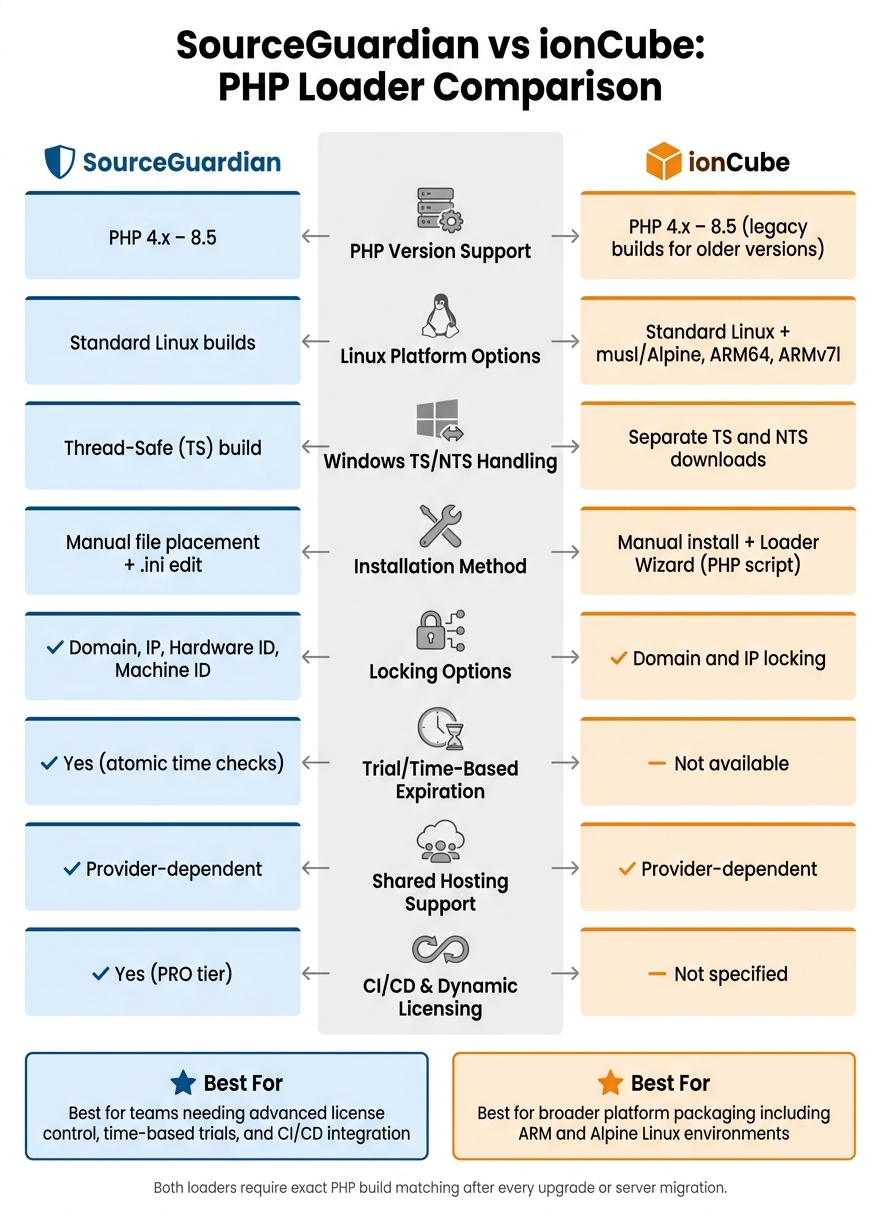
SourceGuardian vs ionCube: Side-by-Side Loader Comparison
How to enable Source Guardian PHP Loader in WHM?
sbb-itb-f54f501
Quick Comparison
| Checkpoint | SourceGuardian | ionCube |
|---|---|---|
| PHP support | PHP 4.x–8.5 | PHP 4.x–8.5 |
| Older PHP support | Yes | Yes, with legacy builds |
| Linux options | Standard Linux builds | Standard Linux, musl, ARM64, ARMv7l |
| Windows TS/NTS handling | TS build noted | Separate TS and NTS builds |
| Install style | Manual loader + .ini edit |
Manual install, plus Loader Wizard |
| Shared hosting use | Host must allow it | Host must allow it |
| Locking options | Domain, IP, hardware, machine ID | Domain and IP locking |
| Trial expiration checks | Yes | No |
| Common failure points | PHP build mismatch, debug builds, extension clashes | PHP build mismatch, debug builds, extension clashes |
What this comparison covers: I’m focusing on deployment, server fit, runtime behavior, and maintenance work after PHP or hosting changes, so you can pick the loader that matches your setup with fewer surprises.
PHP Version Coverage and Environment Compatibility
Supported PHP Versions by Loader
SourceGuardian 17 supports PHP 4.x through 8.5. ionCube 15.5.0 supports that same span too, though some older builds are now legacy and no longer maintained.
| PHP Branch | SourceGuardian (v17) | ionCube (v15.5) |
|---|---|---|
| PHP 4.x / 5.x | Yes | Yes (legacy builds) |
| PHP 7.x | Yes | Yes |
| PHP 8.4 / 8.5 | Yes | Yes |
That means both tools cover a very broad stretch of PHP versions. If you're working with old apps, current production sites, or newer PHP 8.4 and 8.5 setups, both loaders are in the running.
OS and Hosting Setup Considerations
Version support is only one piece of the puzzle. The OS build and thread-safety also need to line up.
On Linux, both loaders work on standard server builds. ionCube also ships dedicated builds for Linux musl libc, ARM64 (aarch64), and ARMv7l. That can make platform matching easier, especially on Alpine-based containers or ARM hardware.
On Windows, both loaders need to match the PHP build type: thread-safe (TS) or non-thread-safe (NTS). SourceGuardian provides a thread-safe (TS) Windows build, while ionCube offers separate TS and NTS downloads. It sounds minor, but this is one of those small details that can trip up a deployment fast. Checking the PHP build type first helps avoid compatibility failures.
Hosting setup matters too:
- On shared hosting, custom extension changes are often restricted, so it's smart to confirm loader support before deployment.
- On VPS and dedicated servers, setup is usually easier because you control
php.ini.
After the PHP version and OS are matched, the next step is figuring out how much setup your hosting model will allow.
Installation, Hosting Support, and Admin Effort
Shared Hosting and cPanel/WHM Deployment
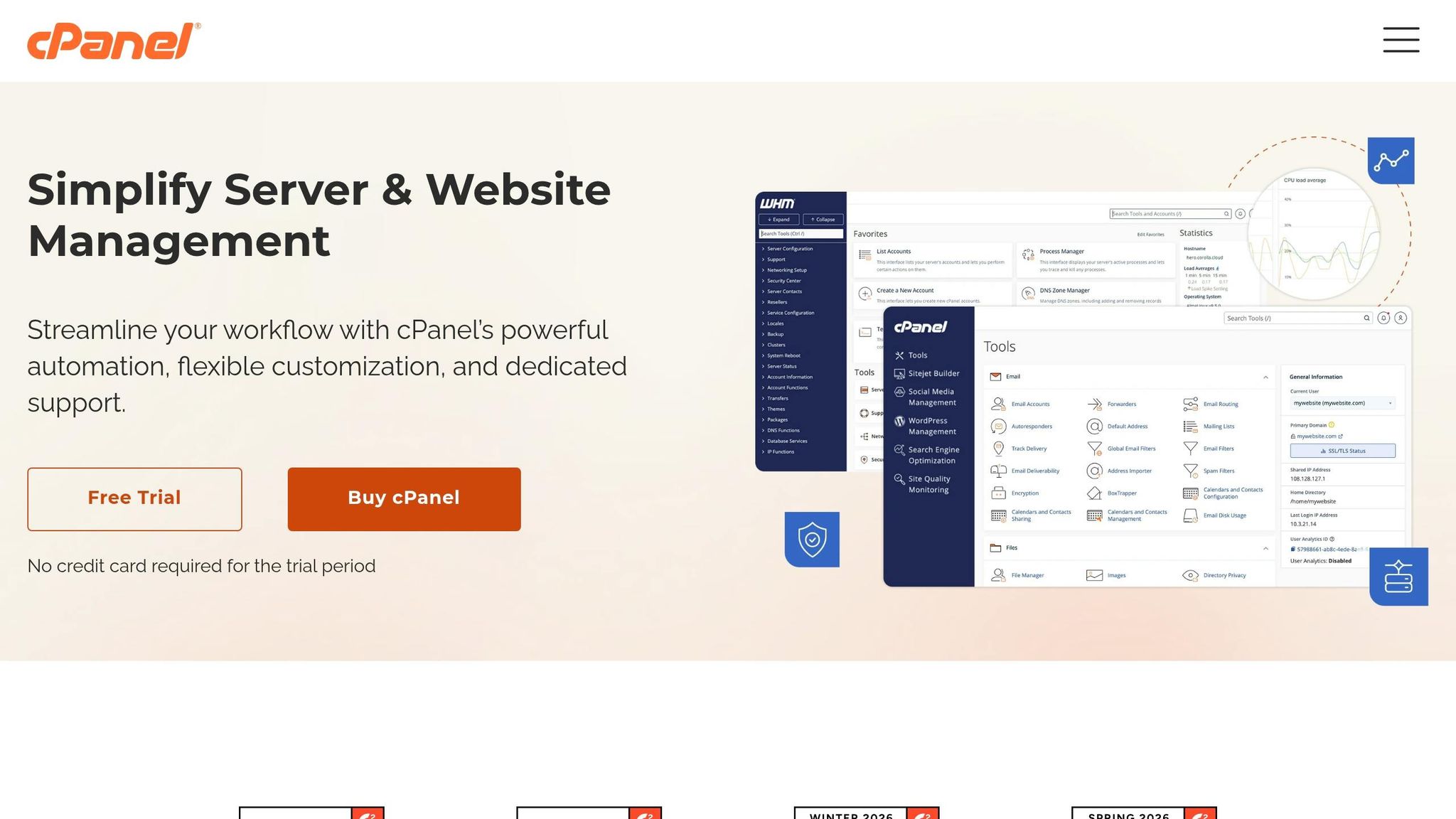
After you confirm PHP and OS support, the next hurdle is simple: can you install the loader?
On shared hosting, that part is usually controlled by the host. Some providers make the loader available inside cPanel or WHM tools. Others want you to open a support ticket and ask them to enable it.
Manual Setup on VPS and Dedicated Servers
On a VPS or dedicated server, the process is hands-on but pretty straightforward. You download the matching loader, copy it into the PHP extensions directory, add the zend_extension line to php.ini or a conf.d file, and then restart PHP-FPM or Apache.
ionCube recommends its Loader Wizard, a PHP script that scans the server and gives machine-specific guidance. SourceGuardian follows the same general path: place the loader file and update the PHP configuration.
To confirm the loader is active, check phpinfo() or run php -m.
| Factor | SourceGuardian | ionCube |
|---|---|---|
| Install method | Manual file placement + .ini edit |
Loader Wizard (PHP script) |
| Admin effort | Low to medium | Low (Wizard-based) |
| Prerequisites | PHP CLI and write permissions | Web server access for the Wizard |
| Shared hosting availability | Provider-dependent | Provider-dependent |
| Verification method | phpinfo() or php -m |
phpinfo() or phpversion("ionCube Loader") |
Once the loader is in place, the next thing to look at is runtime behavior and production overhead.
Runtime Behavior, Protection Features, and Performance
Execution Model and Protected Code Support
After the loader is in place, the next thing to look at is how it handles live requests.
SourceGuardian compiles PHP into encrypted bytecode, then decrypts and runs it through the Zend VM at runtime. It also uses custom opcode handlers to make control flow harder to follow. In plain English, the bytecode stays obscured and is restored only when the code is executed.
It can also lock scripts to a domain, IP, hardware ID, or machine ID. On top of that, it supports time-based trial checks.
Speed and Memory Use in Production
These differences matter most when they show up in request latency, memory use, or failure risk. ionCube uses hooks like zend_compile_file and zend_execute_ex, along with scrambled opcode dispatch, to handle protected code at runtime.
Test the exact PHP build you plan to run in production.
That part matters more than people think. A loader can look fine in staging and then act very differently under live traffic if the PHP build, extensions, or server setup don't match.
The comparison below focuses on the runtime details that affect production traffic.
| Runtime Factor | SourceGuardian | ionCube |
|---|---|---|
| Execution hook | zend_execute with custom opcode handlers |
zend_compile_file and zend_execute_ex hooks |
| Obfuscation method | Opcode substitution and control flow obfuscation | Scrambled opcode dispatch via a PRNG-based XOR table |
| Domain/IP locking | Domain/IP can be part of the encryption key | Domain/IP locking available |
| Time checks | Atomic time checks for trial expiration | Not available |
If runtime issues show up after deployment, the next section covers the most common causes.
Troubleshooting, Maintenance, and Final Takeaways
Common Loader Problems in Production
After deployment, the issues that show up most often are build mismatches and extension conflicts. In practice, most loader failures come back to the same small set of causes.
The first thing to verify is whether the loader matches the active PHP binary exactly. That means the same PHP version, the same TS or NTS mode, and the same debug status. If your PHP binary was built with debug symbols, the loader won’t initialize. You can check this with php -v. If you see a (DEBUG) flag in the output, that’s the problem. The fix is to recompile or reinstall PHP with --disable-debug. After any PHP upgrade or host migration, it also helps to check startup logs for API mismatch warnings.
Another issue to watch for is New Relic. New Relic PHP Agent versions above 10.17.0.7 can trigger runtime segfaults with either loader. In many cases, upgrading PHP to 8.2.23 or 8.3.11 fixes the problem. If you need a short-term workaround, downgrading the New Relic agent to 10.17.0.7 also works.
Use the table below to connect each symptom to the fastest check:
| Issue | Symptom | Diagnosis Step |
|---|---|---|
| Debug Build Conflict | "Unable to initialize module" or "Cannot load... built with configuration... while the active PHP build is debug" | Run php -v and look for the (DEBUG) string in the version header. |
| API/Thread Safety Mismatch | PHP Startup Warning: "Module compiled with build ID=... PHP compiled with build ID=..." | Compare the API version and NTS/TS status in the error message against the loader filename. |
| Extension Conflict (e.g., New Relic) | Segmentation faults during runtime or when saving content in CMS platforms | Check server error logs for "segfault" and verify if New Relic Agent > 10.17.0.7 is active. |
| Missing Loader Extension | Encrypted files display raw code or a "requires the ionCube/SourceGuardian PHP Loader" error | Run php -m to see if the loader is listed; check php.ini for the correct zend_extension path. |
If a full-project encode breaks the app, don’t try to fix everything at once. Exclude framework folders first, then test in small steps. That makes it much easier to spot which files or libraries are clashing with the loader.
Conclusion: Which Loader Fits Your Deployment Needs
Once the loader is stable, the main task is checking it again after every PHP or hosting change. SourceGuardian PRO includes dynamic licensing and CI/CD support, which gives it an edge for teams using automated deployment pipelines. After any PHP upgrade or host migration, run php -v to confirm build flags and check server logs for startup warnings.
FAQs
How do I know which loader build matches my PHP setup?
Use phpinfo() to check your PHP version and whether your build is thread-safe. That’s the safest way to see both details in one place.
Once you have that info, pick the loader that matches your:
- PHP version
- Operating system
- Platform
- Thread safety mode
If you’re not sure which one to use, the SourceGuardian loader assistant can help you find the right loader from your phpinfo() output.
Can I use the loader on shared hosting?
Yes, you can use the SourceGuardian loader on shared hosting if your host lets you use custom PHP extensions and change PHP settings.
In most cases, that means:
- Uploading the loader file
- Adding the extension line to
php.ini - Reloading the PHP handler, if your host requires it
The catch is simple: it depends on what your hosting provider allows. Some shared hosts give you that level of control. Others lock it down.
What should I check after a PHP upgrade or server move?
After a PHP upgrade or server move, check that your SourceGuardian-encoded scripts still work with the new setup. A common issue is the SourceGuardian Loader: if it isn't installed right or doesn't support the new PHP version, your site can throw errors.
The easiest way to check is with a phpinfo() file. Open it and look for the SourceGuardian section. If it's missing, or the version doesn't match your new PHP setup, update or reinstall the right loader so your scripts keep running.



