

How Bytecode Compilation Protects PHP Scripts
If you ship PHP code to servers you do not control, plain source files are the weak point. Bytecode compilation lowers that risk by removing readable .php source before deployment and running compiled opcodes through a loader instead.
Here’s the short version:
- I’d frame bytecode protection as tamper resistance, not perfect secrecy.
- It helps by making code harder to read, copy, and change.
- It works best when paired with loader checks, server locks, and license rules.
- It is usually stronger than source-only encryption because the original source is not shipped.
- It still has limits because PHP code must run in memory, where a skilled attacker may inspect parts of it.
A few points matter most:
- PHP already compiles source into Zend opcodes before execution.
- Protection tools package those opcodes and use a loader extension to decrypt and run them.
- OPcache may cache opcodes, but it does not restore your original source.
- Bytecode is PHP-version specific, so loader support and upgrade planning matter.
- Locking code to a domain, IP, or hardware ID can cut down license abuse and file copying.
About 75% to 90% of source-level readability is gone once code is reduced to opcodes, because comments, spacing, and much of the original layout disappear. That does not mean reverse engineering is off the table. It means the job gets slower and harder.
BSides Tampa 2021 | Chris Lyne: A Glance at Interpreted Language Bytecode Trickery

sbb-itb-f54f501
Quick comparison
| Method | What gets shipped | What shows up at runtime | Reverse-engineering effort | Speed impact | Main limit |
|---|---|---|---|---|---|
| Source encryption | Encrypted PHP source | Decrypted source | Medium | Higher | Source may be exposed in memory |
| Bytecode compilation | Compiled opcodes | Opcodes | High | Lower | Tied to PHP version |
| Bytecode + encryption | Encrypted compiled opcodes | Decrypted opcodes | Very high | Low to medium | Needs matching loader and setup |
My takeaway: if you want to protect PHP scripts, bytecode compilation is one of the stronger options available for distribution. But it is not a replacement for secure code, server hardening, or careful deployment.
Below, I break down where bytecode protection helps, where it falls short, and how to use it without a false sense of safety.
How PHP bytecode compilation works
Before getting into protection tools, it helps to see what PHP does under normal conditions. PHP doesn't run your source code as plain text. It first turns that code into a lower-level form that the Zend Engine can execute.
From PHP source code to Zend opcodes
The Zend Engine compiles PHP into opcodes, which are instructions for its virtual machine. That output is runnable by the PHP engine, but it's not easy for people to read. Comments, spacing, formatting, and the original structure of the file are stripped away during compilation. That's the gap protection tools rely on.
How loaders execute compiled PHP files
Tools like SourceGuardian compile the source into bytecode and encrypt the package before distribution. The server then receives an encrypted binary wrapper that calls sg_load(). A loader - installed as a PHP extension on the server - decrypts the bytecode and sends it straight to zend_execute(), which skips PHP's normal compile step.
That detail matters. If the file never reaches the compiler as plain text, dump-based tools don't get a clean shot at the source. The loader also has to match the server's PHP version and operating system, and it's set up through php.ini. So the focus moves away from protecting readable files on disk and toward controlling what happens at runtime.
Where OPcache fits in the process
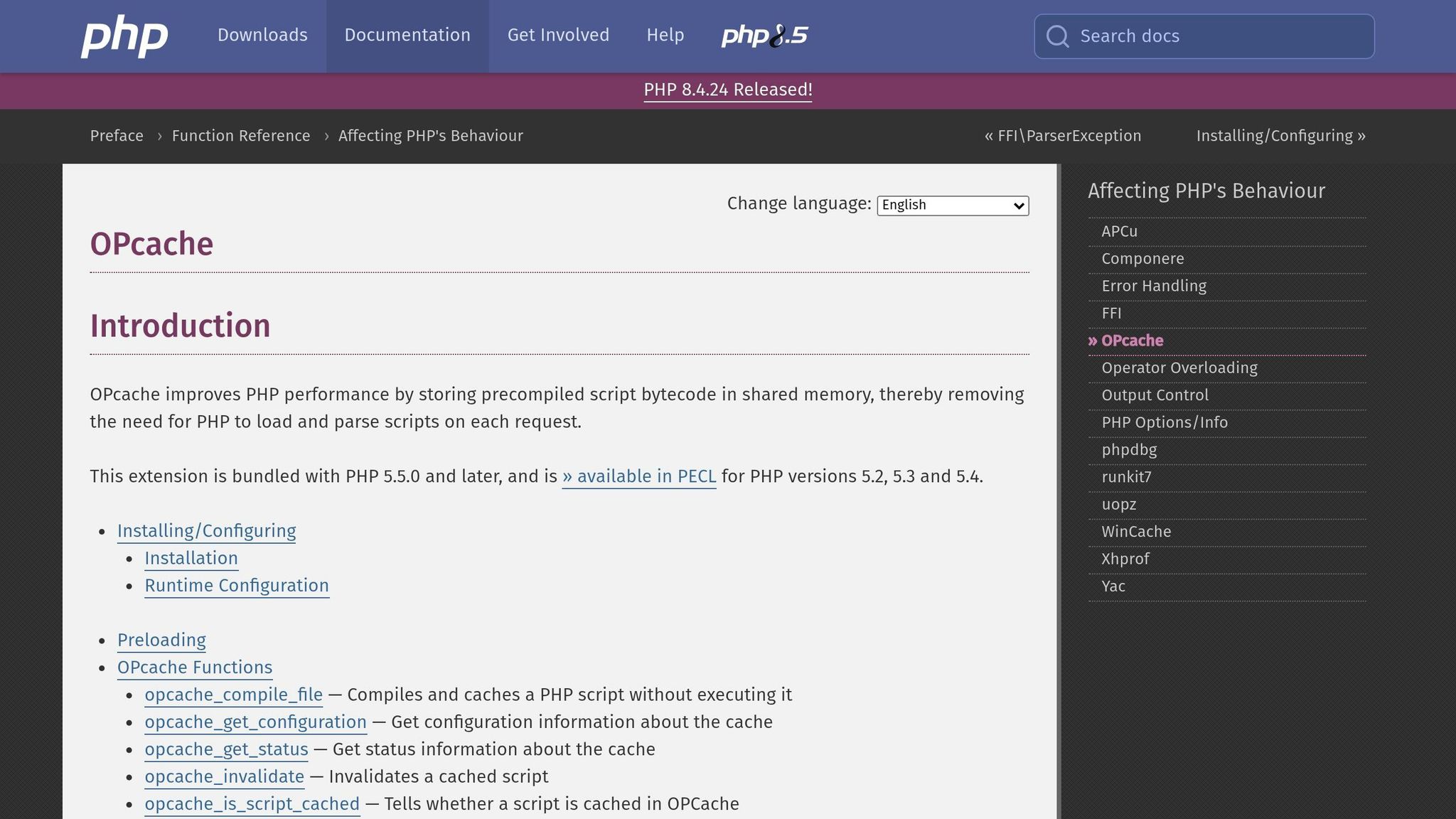
Once bytecode enters the picture, the next step is caching. OPcache is PHP's built-in bytecode cache. In a standard setup, PHP compiles source code into opcodes on the first request, then stores those opcodes in shared memory so later requests can skip compilation.
With protected bytecode, the flow changes a bit. The loader takes care of decryption and execution, not the standard compiler path. OPcache can still cache the decrypted opcodes to improve speed, but it can't bring back the original source code. On multi-user or shared hosting systems, settings such as opcache.validate_permission and opcache.validate_root can also matter.
How bytecode compilation protects PHP scripts in practice
Once code is compiled and runs, the key issue is simple: what can an attacker still see? Bytecode protection removes readable source code from the server, so an attacker has to dig through compiled opcodes instead of plain PHP. That change matters. Reading source is easy. Picking apart low-level instructions is a very different job.
What attackers lose when source code is removed
When source code is gone, attackers lose direct access to business logic, license checks, credentials, and config values. If a project includes any of those, that gap matters in a very direct way.
Encoding the whole project helps protect settings, passwords, and other sensitive code paths. It also makes file-swapping attacks harder. If every file is encoded, an attacker can't as easily replace one protected file with plain PHP just to test how the app reacts.
Why reverse engineering bytecode is harder than reading PHP
PHP opcodes are much less readable than source code. To make sense of them, an attacker has to map low-level instructions back to app logic. That takes time, skill, and the right tools. Even then, the result usually isn't a clean rebuild of the original code's intent or structure.
Still, bytecode protection has limits. Some constants, strings, or function names may show up in memory while the code is running, depending on the protection layer being used. So yes, bytecode makes inspection a lot harder than opening a .php file in a text editor. But no, it doesn't make analysis impossible.
What bytecode protection does not guarantee
The honest way to describe this is tamper resistance, not secrecy. PHP still has to execute the bytecode at runtime, and that creates room for inspection. A determined attacker can hook into runtime execution and inspect opcodes as they run.
Researchers have shown that attackers with enough skill and patience can still recover source from protected PHP by targeting runtime behavior.
"Obfuscation provides at least some protection of the source code and hampers an adversary to a certain extent." - Dario Weißer, Johannes Dahse, and Thorsten Holz, Ruhr-University Bochum
That's why bytecode protection works best as one layer in a broader deployment plan. Bytecode on its own is not absolute protection, so other controls matter next.
Bytecode compilation vs. source code encryption
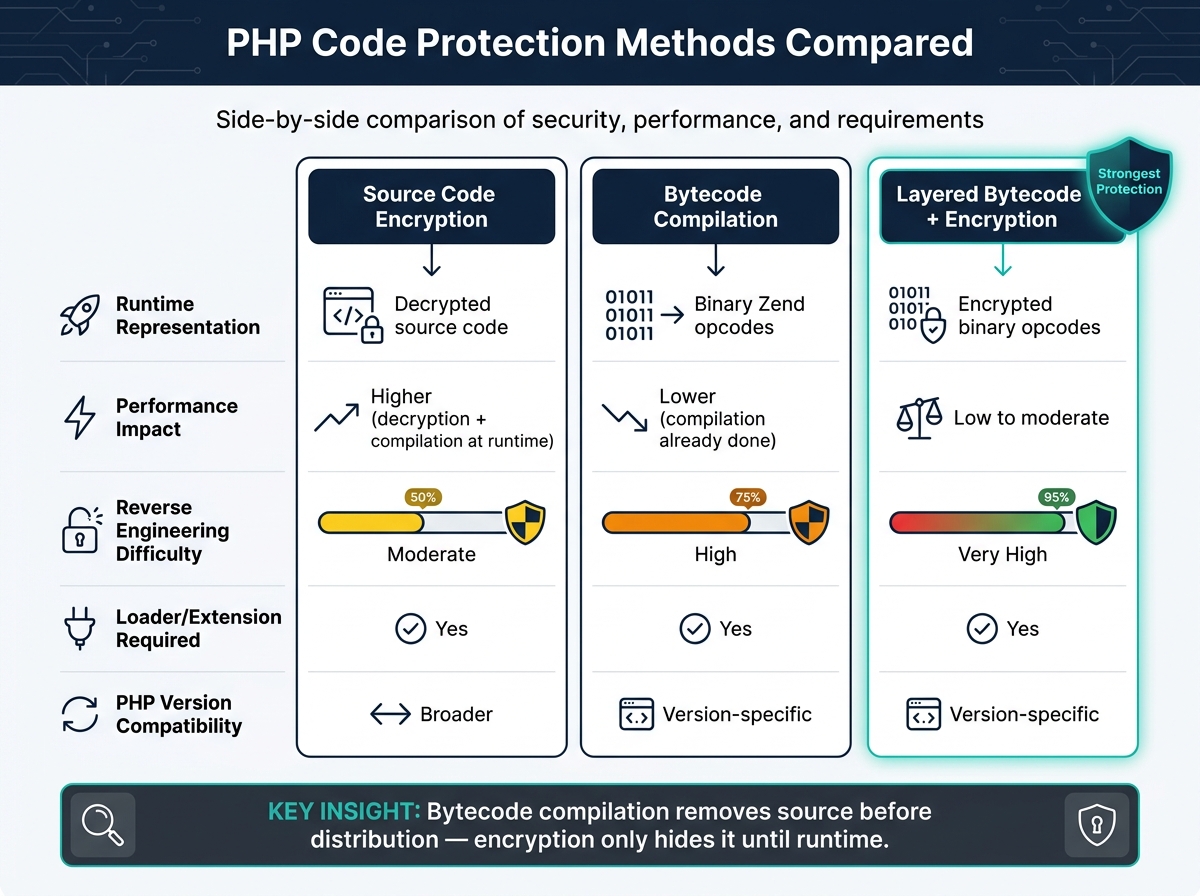
PHP Code Protection Methods Compared: Bytecode vs Encryption
Runtime exposure still matters. So the main choice comes down to encrypted source code vs. compiled bytecode.
Source code encryption keeps PHP as encrypted text, then decrypts it at runtime. Bytecode compilation works differently. It ships precompiled Zend opcodes, not human-readable source. That means comments, formatting, and most of the original structure are stripped out before deployment.
Key technical differences between the two approaches
The biggest gaps between these methods come down to runtime exposure, speed, and how much of the original code can still be recovered.
| Protection technique | Runtime representation | Performance impact | Reverse engineering difficulty | Dependency on loader/extension | Compatibility across PHP versions |
|---|---|---|---|---|---|
| Source code encryption | Decrypted source code | Higher (decryption + compilation at runtime) | Moderate (source is exposed in memory once decrypted) | Required | Broader |
| Bytecode compilation | Binary Zend opcodes | Lower; compilation is already done | High (requires specialized opcode analysis) | Required | Version-specific (opcodes change between PHP releases) |
| Layered bytecode + encryption | Encrypted binary opcodes | Low to moderate | Very high (requires decryption and de-obfuscation) | Required | Version-specific |
Put simply, bytecode is tied to PHP builds, while decrypted source is still standard PHP.
Why bytecode-based protection is generally stronger
The main edge is simple: the distributed file no longer contains the source code.
With encryption alone, the original PHP source still exists. It's hidden behind a key, but it's still there. Once the code is decrypted in memory, the logic becomes readable. Bytecode compilation changes that picture. The source is removed before distribution, so anyone who gets the file sees low-level binary instructions instead of PHP.
"Our PHP encoder protects your PHP code by compiling the PHP source code into a binary bytecode format, which is then supplemented with an encryption layer." - SourceGuardian
So the practical difference is this: bytecode compilation removes source before distribution; encryption only hides it until runtime.
Using layered bytecode protection in real deployments
Bytecode on its own doesn't stop runtime misuse. That's why most production setups add environment locks and licensing. Bytecode strips out readable source, but you still need runtime controls. SourceGuardian stacks encryption and licensing on top, which makes copying and unauthorized reuse much harder.
How SourceGuardian builds on bytecode compilation

SourceGuardian compiles PHP source code into a binary bytecode format and adds an encryption layer. Protected scripts run only on servers with the matching loader.
It also lets you lock scripts to an IP address, domain name, or hardware ID. With domain-based or IP-based locking, the domain or IP can be folded into the encryption key. In plain English, that helps stop a protected script from being decrypted on a different server.
SourceGuardian combines bytecode compilation, encryption, environment locking, trial licensing, and PRO-only dynamic licensing and CI/CD support.
Best practices for secure deployment and maintenance
Once those protection layers are set, day-to-day deployment habits matter just as much.
Keep the original source in private version control, and check loader support before you upgrade PHP. If the loader doesn't match the server's PHP build, protected scripts won't run.
Bytecode protection is not a substitute for secure coding or server hardening. You still need input validation, prepared statements, and secure server settings.
In production, the way you deploy and maintain these controls often decides whether they hold up or fall apart.
FAQs
Is bytecode compilation enough to protect my PHP code?
Bytecode compilation is a key first step, but by itself, it doesn’t do the whole job. When PHP is compiled into opcodes, readable source code becomes a binary stream. That helps, but plain bytecode can still be inspected.
If you want tougher protection, pair it with encryption and obfuscation. SourceGuardian also supports domain, IP, or hardware locking, so scripts run only in approved environments.
Will protected bytecode still work after a PHP upgrade?
Yes - protected bytecode should still work after a PHP upgrade, as long as you use a SourceGuardian loader version that matches the new PHP setup.
When you upgrade your server, make sure the correct loader extension is installed and active for that PHP version. You can use the Loader Assistant to find the right loader for your operating system, architecture, and PHP version.
Can attackers still reverse engineer compiled PHP scripts?
Yes. Bytecode compilation and encryption make PHP scripts much harder to read. They also help stop casual copying or direct inspection. But they do not make reverse engineering impossible.
Here’s the simple reason: the code has to be decrypted in memory before it can run. So a determined attacker with enough time, skill, and system access may still analyze it or intercept it during execution.
SourceGuardian adds extra layers like obfuscation, randomization, and bytecode entangling to make that job much harder. In plain English, it doesn’t create a perfect lock. It makes the lock a lot tougher to pick.