

How Trial Version Encoding Protects PHP Code
Encoding your PHP trial versions is a smart way to secure your code, prevent misuse, and enforce trial limitations. It works by transforming your PHP scripts into encrypted bytecode that’s nearly impossible to reverse-engineer. Tools like SourceGuardian add layers of protection, such as time-based expiration, domain/IP restrictions, and hardware locking, ensuring your trial runs only as intended.
This approach not only protects your intellectual property but also minimizes risks like code theft, unauthorized distribution, or tampering. By embedding trial rules directly into the bytecode, you can control how users interact with your software while keeping your source code safe.
Key takeaways:
- Encoding converts readable PHP code into encrypted bytecode.
- Trial restrictions include expiration dates, domain/IP locks, and hardware-specific locks.
- Protection layers make it harder for attackers to bypass your trial rules.
Secure your trial versions by combining encoding with runtime checks, detailed license tracking, and regular testing. This ensures your software remains functional for genuine users while safeguarding your business from revenue loss.
Scriptcase - Learn how to encrypt your PHP applications
How Trial Version Encoding Protects PHP Code
Trial encoding is a method that encrypts your PHP application and adds runtime checks to ensure it’s used only as intended. By converting readable code into an encrypted format, it becomes nearly impossible to reverse-engineer. This, combined with runtime restrictions, helps safeguard your application from misuse.
Converting PHP Code into Bytecode
The encoding process starts by transforming your PHP source code into binary bytecode. Essentially, this means converting the human-readable PHP logic - like your functions and classes - into a machine-readable format.
Tools like SourceGuardian handle this by first compiling your PHP source code into bytecode and then layering encryption on top. This dual-layer approach ensures that even if someone gains access to your trial files, they’ll only see encrypted data, not your original code. Unlike simple obfuscation, bytecode compilation goes deeper, stripping out variable names, comments, and formatting, leaving behind a completely restructured version of your code.
Some advanced encoding solutions take it a step further by using dynamic or external encryption keys that are generated at runtime. This means the decryption key isn’t stored on the disk, making it even harder for attackers to intercept. Interestingly, encoded applications can sometimes run faster because the PHP engine doesn’t need to re-parse raw PHP code, offering a potential performance boost.
What Makes a Trial Version
Trial encoding does more than just encrypt your code - it also enforces specific usage restrictions. These built-in limitations define how long or where a user can access the trial version, integrating them directly into the bytecode for added security.
Time-limited trials are perhaps the most common. These versions stop functioning after a set period, usually 14 to 30 days for SaaS products in the U.S. The expiration date is embedded in the bytecode and checked each time the application runs.
Domain and IP locking adds another protective layer by restricting the trial to specific domains or IP addresses. If someone tries to run the encoded files on an unauthorized server, the system detects the mismatch and prevents execution.
Hardware-based locking goes even further by tying the trial to particular server hardware. For example, SourceGuardian allows you to bind the code to specific hardware identifiers. This means even if the files are moved to another server with an authorized domain, they won’t work.
These restrictions, embedded within the encrypted bytecode, make them extremely difficult to bypass.
Goals of Trial Encoding
Trial encoding is designed to achieve three key objectives:
- Protect intellectual property by encrypting PHP code into bytecode: Your PHP code contains your unique algorithms and business logic. Encoding ensures this information is secured and cannot be easily accessed or copied.
- Prevent unauthorized redistribution: By embedding tracking mechanisms, trial encoding makes it harder for anyone to share or resell your application without permission.
- Enforce trial limitations effectively: Standard PHP trial logic can often be manipulated, but encoding integrates these restrictions into the application itself, making them much harder to bypass.
These measures allow developers to confidently distribute trial versions that offer full functionality for evaluation while keeping their proprietary code secure. Since 2002, encoding has been a trusted method for commercial PHP protection. While no system is entirely foolproof, encoding raises the technical challenges and costs of unauthorized access, making it a practical choice for most trial deployments.
How to Encode a Secure PHP Trial Version
Creating a secure trial version for your PHP application involves organizing your files, defining trial restrictions, and encoding your code to prevent tampering. Here's how you can do it step by step.
Preparing Your PHP Application for Encoding
Before diving into encoding, it's important to structure your application so that trial-related logic is isolated. This makes the process smoother and minimizes potential issues.
Start by centralizing your trial rules in a single configuration file. For instance, you could use a PHP array like this:
$trialConfig = [
    'type'          => 'time_and_feature_limited',
    'duration_days' => 14,
    'max_users'     => 5,
    'feature_flags' => [
        'export_csv' => false,
        'api_access' => false,
        'reporting'  => true,
    ],
];
This approach not only simplifies testing different trial settings but also keeps your codebase clean and organized.
Next, separate trial-specific logic from your core application code. Features that are disabled during the trial should be placed in distinct files or modules. This separation allows you to apply different encoding settings to different parts of the application, adding an extra layer of security.
Document everything: trial expiration behavior, allowed domains or IP addresses, and error messages. This documentation will be essential when configuring SourceGuardian and troubleshooting issues after deployment. Also, make sure to include any sensitive supporting files in your encoding plan.
Once your files are organized and your trial requirements are documented, you're ready to configure the trial settings.
Setting Up Trial Settings in SourceGuardian
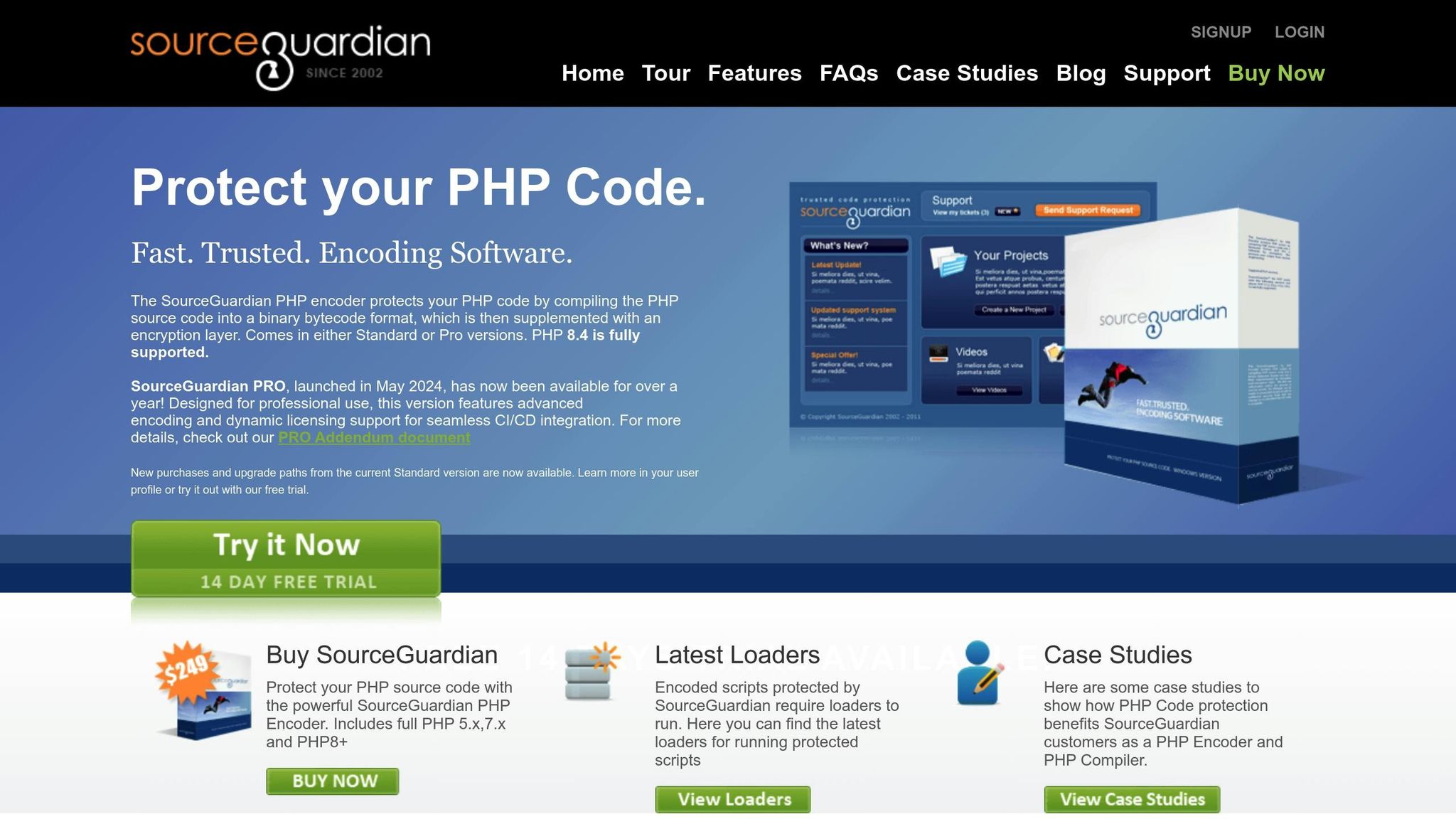
SourceGuardian provides several locking mechanisms to enforce trial restrictions effectively. Here's how to set them up:
- Trial Expiration: Set a specific duration for the trial, such as 14 days. SourceGuardian embeds this expiration directly into the bytecode, making it difficult to alter.
- Environment Locks: Use domain locking to restrict the trial to specific domains, ideal for hosted trials. For on-premise trials, IP locking ensures the code only runs on predefined IP addresses.
- Hardware-Based Locking: Bind the trial to specific server hardware identifiers. This ensures the code can't be moved to another server without authorization.
For stronger protection, combine these mechanisms. For example, you can enforce both a time limit and domain restrictions, ensuring the trial expires after 14 days and only works on the intended domain.
When handling trial expiration or failed lock checks, keep error messages generic. Instead of exposing technical details, display a simple message like: "Your trial period has ended. Please contact us to upgrade." Log detailed error information on the server side for internal use by your support team.
Encoding and Deploying the Trial Version
After configuring the trial settings, it's time to encode your files and prepare for deployment. SourceGuardian offers a graphical interface and command-line tools to suit different workflows.
Using the GUI, select the files to encode and apply the trial settings you've configured. SourceGuardian will compile your PHP source code into bytecode, encrypt it, and embed the trial restrictions. This process produces encoded files that replace your original PHP scripts.
For automated workflows, SourceGuardian PRO's command-line tools can be integrated into CI/CD pipelines, streamlining the encoding and deployment process.
Deploy the encoded trial version to a staging environment first. Install the SourceGuardian Loader on the staging server to decrypt and execute the encoded files. Ensure the loader version matches your PHP version for compatibility.
Run thorough quality assurance tests in staging. Check that the application works as intended, trial restrictions are enforced, and error messages display correctly. Test unauthorized access scenarios, such as accessing the trial from unapproved domains or IP addresses, to confirm the locks are functioning as expected.
Document internal support procedures for handling trial-related issues. For example, define how to respond when a trial expires, how to replace a trial license with a full license, and how to handle requests for trial extensions or server transfers.
For U.S.-based customers, clearly communicate the trial duration, expiration date, and upgrade pricing in USD. Send reminder emails a few days before the trial ends (e.g., 3 days and 1 day prior) to give users time to upgrade without interruptions.
Encoding your trial version not only enforces restrictions but also protects your application from common security threats like code injection and remote code execution. By encrypting your code and adding runtime validation, you significantly reduce the risk of tampering.
Once you've verified everything in staging, deploy the encoded files to production. Keep your original source code secure and separate from any deployed environments. Customers should only ever have access to the encoded files, not the source code.
sbb-itb-f54f501
Managing Trial Licenses and Enforcing Protection
Once you've deployed your encoded trial version, the next step is ensuring smooth license management and safeguarding against misuse. This involves a mix of automated checks, careful monitoring, and a clear plan for handling license transitions.
Distributing and Tracking Trial Licenses
When someone requests a trial, you’ll need a reliable system to generate and track unique licenses. With SourceGuardian’s locking features, you can tie each trial license to specific environmental factors - like a domain name, IP address, or hardware ID - making it harder for licenses to be shared or copied.
To keep things secure, embed unique identifiers directly into each trial deployment. These encrypted markers act as fingerprints, helping you track where your code is running and flagging any unauthorized sharing. Your license database should store both customer details (like name, email, and company) and technical restrictions (such as domain, IP, or hardware ID), alongside trial start and end dates and any feature-specific permissions. Linking licenses to their unique identifiers makes it easier to detect and address unauthorized use.
Automate license generation while keeping security tight. Store license files on your server and provide them via authenticated download links instead of email attachments. This reduces the risk of licenses being forwarded to unauthorized users.
Keep an eye on trial usage patterns to spot anything unusual - like a single license being used on multiple servers at once, which could indicate attempts to bypass restrictions. Monitor how often users access your application, which features they use, and whether they’re approaching their trial limits.
For U.S.-based customers, record trial start dates and communicate expiration timelines in MM/DD/YYYY format. Send automated reminders at 7 days, 3 days, and 1 day before the trial ends to encourage upgrades without interruptions. These practices lay the groundwork for effective runtime validation.
Validating Trial Licenses at Runtime
Runtime validation is where your protection measures take center stage. Every time a customer runs your encoded PHP application, SourceGuardian’s loader checks that the trial license is valid and matches the authorized environment.
This process happens automatically within the encoded bytecode. When the script runs, it verifies the current date against the trial expiration, checks the domain or IP address against the licensed values, and confirms that hardware identifiers match the authorized system. If any of these checks fail, the script won’t execute.
To handle special cases, such as a customer needing to move their trial to a new server, build some flexibility into your system. Allow one-time license transfers after verifying the request. To prevent clock tampering, reinforce time-based checks with server-side timestamp validation.
Make sure error messages are clear but don’t give away too much about your security measures. For example, if a trial expires, you could display: “Your 14-day trial ended on 12/08/2025. To continue using [Product Name], please upgrade to a full license.†Avoid exposing technical details in these messages.
Log every validation failure with details like customer ID, attempted action, failure reason, and timestamp. This audit trail helps your support team quickly resolve issues and identify patterns of misuse.
If your trials include usage limits, implement real-time tracking that persists across sessions. Store usage data securely to prevent tampering, and notify users about restrictions while offering upgrade options with pricing in U.S. dollars. This creates a smooth path for users to move from trial to full license.
Converting Trials to Full Licenses
When customers decide to purchase, the transition from trial to full license should be as seamless as possible. The goal is to lift trial restrictions while preserving existing configurations and data, all without requiring a complete reinstallation.
The simplest approach is to replace the trial license file with a full license file. Use SourceGuardian to generate a new license that removes time limits, expands feature permissions, and updates usage restrictions, all while keeping the encoded scripts unchanged. Customers can then download the updated license file, upload it to their server, and continue using the software without any downtime.
For more complex applications, some files may need re-encoding with adjusted settings. SourceGuardian PRO’s dynamic licensing feature makes this easier by allowing changes to licensing parameters without re-encoding the entire application. This is especially useful for SaaS platforms that require remote upgrades.
Provide clear documentation for the conversion process. Include step-by-step instructions on where to locate license files, how to back up configurations, and how to verify the upgrade. Visual aids, like screenshots showing the difference between trial and full license status messages, can make the process even smoother.
Some businesses have found that offering a trial-before-purchase option reduces hesitation, as it lets users experience the software’s value before committing financially.
Be upfront about pricing, especially for U.S. customers. For example, if your trial is free and the full license costs $399.00 (like SourceGuardian PRO), make this clear throughout the trial period. To encourage timely upgrades, you could also offer a limited-time discount for customers who upgrade before their trial ends.
Finally, keep your original source code completely separate from customer-facing files. Only distribute encoded versions to users, and store your source code in a secure repository with restricted access. Use robust version control to track which encoded version corresponds to each source code release, ensuring everything stays organized and protected.
Best Practices for Trial Version Security
Securing trial versions of software demands more than just basic encoding. Developers often leave gaps that attackers can exploit, putting their intellectual property and revenue at risk. Recognizing these vulnerabilities - and addressing them effectively - can be the difference between robust protection and an easily bypassed system.
Common Weaknesses to Avoid
One frequent oversight is leaving some files unencoded. While main application files might be protected, configuration files, installation scripts, or helper utilities are sometimes overlooked. Even a single unprotected PHP file can provide attackers with enough insight to reverse-engineer your licensing logic. To prevent this, ensure that all PHP files involved in licensing, trial logic, or core functionality are encoded.
Another common pitfall lies in overly detailed error messages. For instance, an error like "License validation failed at line 247 in /var/www/html/includes/license.php" inadvertently gives attackers valuable information about your protection mechanisms. Instead, use generic messages such as "Your trial period has ended. Please purchase a license to continue", which communicate the problem without exposing technical details.
Relying solely on the system clock is another risky approach. Attackers can manipulate the server clock to extend trial periods. A safer method involves combining local time checks with remote timestamp validation or maintaining encrypted usage logs that can detect suspicious time changes.
Finally, weak or predictable license keys are a significant vulnerability. If your trial licenses follow a simple pattern or use basic encoding, attackers can reverse-engineer the format and generate unauthorized keys. To counter this, sign and encrypt license data, ensuring cryptographic validation occurs at runtime.
These practices, when combined with encoding techniques, form the foundation of trial version security.
Using Multiple Protection Layers
Relying on a single layer of protection is rarely enough to stop determined attackers. The most effective approach involves combining multiple defenses so that bypassing one still leaves others intact.
Start with encrypted bytecode as your base, then add code obfuscation before encoding. Obfuscation scrambles the code’s structure, replacing meaningful variable names and logic with confusing alternatives, making reverse engineering far more difficult. Additionally, use dynamic keys generated at runtime based on environmental factors, ensuring keys are not hard-coded into your files. SourceGuardian’s dynamic licensing tools can help implement runtime validation without relying on static keys.
To reinforce these measures, add hardware and environment locking mechanisms. For high-value applications, consider implementing remote license verification. This involves having your encoded script periodically communicate with a license server to validate usage and detect anomalies. It also allows you to update restrictions without re-encoding.
Another key strategy is to store license data in external, signed files rather than embedding it directly in the code. These files should contain encrypted, cryptographically signed data that your script validates at runtime. If the license file is tampered with, the signature validation will fail, preventing the script from running.
The financial stakes are high. Developers frequently report revenue losses due to code theft, unauthorized copying, and unlicensed use. Weak protection for trial versions can allow users to exploit your software indefinitely without purchasing a full license, directly impacting your bottom line.
Testing and Verification Checklist
Before releasing your software, thoroughly test your security measures to ensure they work seamlessly.
-
Environment and loader compatibility:
Test the SourceGuardian loader on servers that mimic customer hosting environments. Confirm that encoded files function correctly across all supported PHP versions, from PHP 7.x to PHP 8.4. -
Trial behavior testing:
Use a short trial period (e.g., 24 hours) to test expiration. Adjust the system clock forward and backward to confirm time-based checks. Verify that domain and IP locking mechanisms prevent unauthorized use and that usage limits are properly tracked. -
Tamper resistance checks:
Modify encoded files to ensure changes prevent execution. Edit license files to confirm that signature validation detects tampering. Test scenarios where license files are removed or renamed. -
Usability and edge cases:
Review error messages to ensure they’re clear but not overly technical. Simulate realistic load conditions to confirm that licensing checks don’t degrade performance. Test migration scenarios to support legitimate users switching environments.
Document your tests for file integrity, loader compatibility, trial expiration, locking mechanisms, error handling, and performance. This documentation not only aids in troubleshooting but also helps refine your protection strategy with future releases.
Given the ever-changing landscape of PHP versions, hosting environments, and attack methods, treat security as an ongoing process. Every time you release a new trial version or update your encoding settings, run these verification steps to ensure your software remains secure. By staying proactive, you can keep your trial version as protected as your full product.
Conclusion
Securing your PHP code with trial version encoding is a powerful way to protect your intellectual property while allowing users to evaluate your software safely. This guide has outlined the key technical steps and strategies to implement effective trial version protection.
The process involves several critical stages: preparing your application, setting up trial parameters like time limits and locking mechanisms, encoding your files, and deploying with robust license validation. These steps create a solid framework for securely distributing your software. However, maintaining protection goes beyond the initial setup - it requires regular monitoring, testing across different environments, and staying ahead of potential threats with timely updates.
Tools like SourceGuardian take the complexity out of this process. Instead of developing encryption and licensing systems from scratch - a task that can be both time-intensive and prone to vulnerabilities - SourceGuardian offers proven solutions like bytecode compilation, encryption layers, and dynamic licensing features. Supporting PHP versions from 4.x to 8.4 and compatible with Windows, Linux, macOS, and FreeBSD, it allows developers to focus on creating software while handling the technical challenges of security.
By following the security principles shared here - such as encoding all files, avoiding detailed error messages, combining time-based checks with cryptographic validation, and using signed license files - you can build a multi-layered defense. This layered approach ensures that even if one security measure is bypassed, others remain intact. Many developers have seen tangible results, from eliminating fraudulent transactions to confidently offering "try before you buy" models that help boost sales.
Keep in mind that protecting trial versions is an ongoing effort. Each new release is an opportunity to enhance your security measures, address new threats, and ensure a seamless experience for users. By treating security as a continuous process and applying the practices outlined in this guide, you can safeguard your PHP code while earning the trust of customers who value the chance to evaluate your software before committing to a purchase.
FAQs
How does encoding PHP code into bytecode secure trial versions?
Converting PHP code into bytecode offers a layer of protection for trial versions by transforming the source code into an unreadable format that's tough to reverse engineer. This process keeps the original code hidden, making it harder for anyone to access or replicate without permission.
By securing the core code, this method helps ensure trial versions are used as intended and minimizes the chances of misuse or piracy.
How can I securely create and deploy a PHP trial version using encoding techniques?
To set up and deploy a secure trial version of your PHP application, here's what you need to do:
- Encode your PHP scripts: Use tools like SourceGuardian Standard or PRO to encrypt your PHP code and compile it into bytecode. This step ensures your scripts are protected from unauthorized access or tampering.
- Add trial-specific features: Implement features such as time-limited access or restrictions tied to specific IP addresses, domains, or hardware. These measures help maintain control over how the trial version is used.
- Deploy securely: Upload the encoded files to your server, making sure all licensing and locking configurations are correctly applied. This ensures that the trial operates within the intended boundaries.
- Test thoroughly: Run the trial version to verify that all licensing restrictions and security features are functioning as planned. This step is crucial to ensure a smooth and secure experience for users.
By following these steps, you can safeguard your PHP code while offering a controlled trial experience to your users.
How can businesses prevent trial licenses from being misused or shared without authorization?
To prevent trial licenses from being misused or shared without permission, you can use security measures such as restricting access based on IP address, domain name, or hardware identifiers. Another effective approach is to create time-limited trial versions, ensuring the software can only be accessed for the intended duration.
These methods help protect your PHP code while giving you greater control over how your software is utilized during the trial period.



